Setup Geowiki API server
First, install geowiki-api:
npm install -g @geowiki-net/geowiki-api
Run as server (this will expose a HTTP server on port 8080):
mapnik-geowiki-server --db map.osm
Currently, Geowiki API supports .osm, .osm.json, .osm.bz2, .geojson and .umap files. If --db is omitted, the Overpass API server on overpass-api.de is used.
Requesting data via curl
curl -XPOST -d"[out:json][bbox:48.2,16.3,48.3,16.4];nwr[amenity=restaurant];out body geom;" http://localhost:8080
You should receive something like this:
{
  "version": 0.6,
  "generator": "JOSM via @geowiki-net/geowiki-api 4.0.0-beta.3",
  "osm3s": {},
  "elements": [
    {
      "type": "node",
      "id": 123456,
      "tags": {
        "amenity": "restaurant",
        "name": "Awesome restaurant"
      },
      "lat": 48.2004654,
      "lon": 16.3409641
    },
    …
  ]
}
Using Geowiki API with Overpass Turbo
In the settings of Overpass Turbo, enter http://localhost:8080 as server:
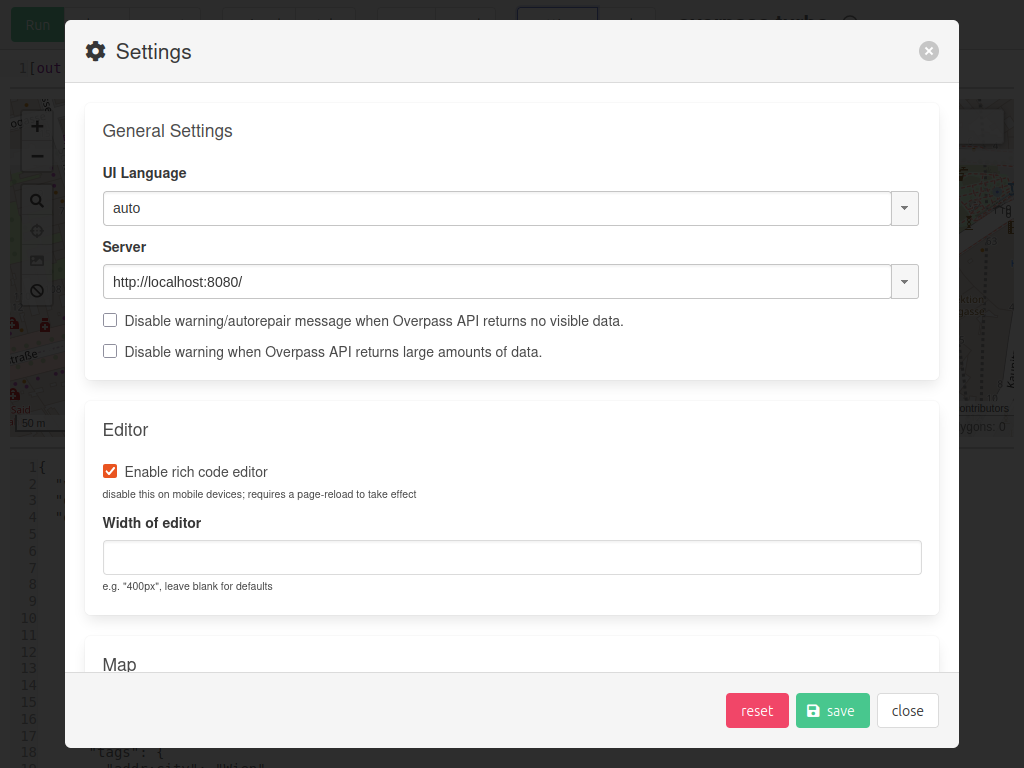
Now, you should be able to send requests as usual. Be aware, that not all functions of Overpass API are supported by Geowiki API.
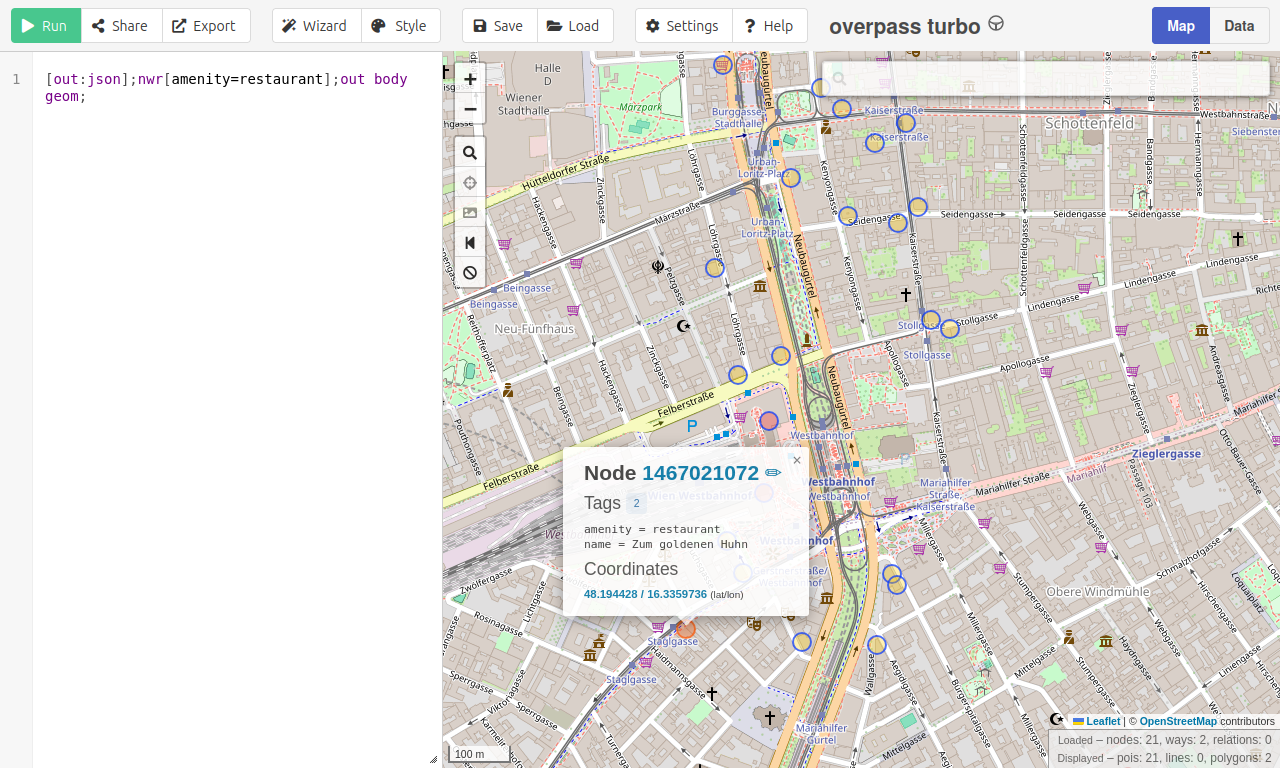
You can notice the boundaries of the OSM-file.
Conclusion
It's easy to serve own OSM data (or data of own sources) using Geowiki API.
Be aware of the limitations: As Geowiki loads the whole file into memory, only small files are, e.g. a medium sized town. Also, not all functions of Overpass API are supported.